
How Many Laptops Should You Actually Buy? Sizing Your Fleet the Smart Way
- Kamran Hussain
- 1 day ago
- 7 min read


It sounds like a simple question. You're growing, you need more laptops how many do you buy? In practice, it's one of the decisions UK businesses consistently get wrong, in both directions. Buy too few and you're scrambling to onboard new starters, running staff on ageing hardware, and creating bottlenecks that hurt productivity. Buy too many and you're sitting on a warehouse of depreciating assets, draining budget that could be working harder elsewhere.
The right answer isn't a formula it's a framework. And it depends on how your business actually operates: how many people you employ, how they work, what their roles demand, and where your headcount is heading over the next twelve to twenty-four months.
At Data Direct UK, we help UK businesses plan and supply laptop fleets of all sizes from five-device startups to hundred-device enterprise refreshes. The same questions come up every time, and this guide answers them properly.
Why Getting Fleet Size Wrong Is Costly in Both Directions
Before getting into the numbers, it's worth understanding why this decision carries more financial weight than it might appear.
Undersizing is the more obvious risk. New starters arrive without a device on day one a poor first impression and an immediate productivity loss. Shared machines create scheduling conflicts, security headaches, and inconsistent user experiences. Ageing devices that should have been retired stay in circulation because there's nothing to replace them with, dragging down the performance of the staff relying on them.
Oversizing is quieter but equally damaging. Every undeployed laptop sitting in a cupboard is capital that isn't working. It's also a depreciating asset a laptop bought today and unused for eighteen months is worth considerably less when you finally deploy it, and may already be running an outdated specification. Add the administrative overhead of tracking, securing, and maintaining undeployed stock, and the case for over-purchasing weakens considerably.
Effective laptop fleet management in the UK isn't about buying as many as you might need it's about buying the right number at the right time, with a clear plan for what comes next.
The Baseline: One Device Per Employee But It's Not That Simple
The starting point for any business laptop inventory planning exercise is straightforward: every employee who needs a computer to do their job needs a computer. That sounds obvious, but the detail matters.
Full-time, office-based staff
in knowledge roles finance, marketing, operations, HR, sales, development need a dedicated device. No sharing, no exceptions. A shared device means shared logins, shared browser sessions, shared security risk, and constant friction. The productivity cost of sharing vastly outweighs the hardware saving.
Part-time staff
working fixed, non-overlapping shifts may be able to share a device but only where their roles are genuinely complementary, their data doesn't overlap, and hot-desking is properly managed. This works in retail or hospitality back-office environments. It rarely works in professional services.
Contractors and temporary staff
present a specific challenge. Issuing a permanent business device to a six-week contractor is poor asset management. This is where short-term rental or a small pool of managed loaner devices makes more sense than permanent fleet allocation.
The honest answer to how many computers per employee a business needs is: one per permanent, full-time knowledge worker with a small buffer for specific scenarios covered below.
The Spare Device Buffer: What It Is and How to Size It

Every well-managed laptop fleet includes a spare device buffer a small reserve of deployment-ready machines held back from standard allocation. This buffer exists to cover:
New starter onboarding:
Devices ready to deploy on day one, without waiting for procurement cycles
Hardware failure replacement:
When a device fails, a spare means same-day swap rather than a week-long wait for a replacement order
Insurance coverage gaps:
The period between a device being damaged or stolen and a replacement arriving
The right buffer size depends on fleet scale. As a practical guide for IT asset ratio per employee planning:
Fleets of 10–25 devices: 1–2 spare units (roughly 8–10% of fleet)
Fleets of 25–75 devices: 3–5 spare units (roughly 5–8% of fleet)
Fleets of 75–150 devices: 6–10 spare units (roughly 5–7% of fleet)
Fleets of 150+ devices: Work with your IT supplier to model this based on historical failure rates and onboarding velocity
The buffer doesn't need to be your latest specification a device one generation behind current standard is entirely appropriate for short-term loan or emergency replacement purposes, and keeps buffer costs manageable.
Sizing for a Hybrid Workforce: The New Complexity
The shift to hybrid working has fundamentally changed device ratio for hybrid workforces and many businesses are still using pre-pandemic fleet models that no longer reflect how their teams actually work.
The key question is no longer just "how many people do we have?" but "how many people are in the office at any one time, and what do they need when they're there?"
There are broadly three hybrid models, each with different fleet implications:
Model 1: Laptop as Primary Device (Most Common)
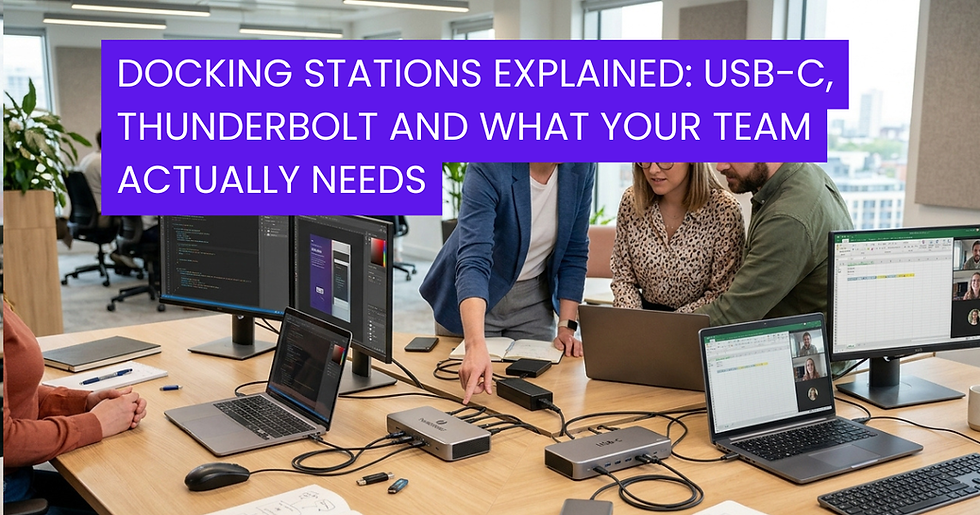
Staff have a single laptop that travels with them home, office, client sites. The dock at their desk provides connectivity to monitors and peripherals when they're in. This is the dominant model for knowledge workers and requires a one-to-one device ratio. Fleet size equals headcount plus buffer.
Model 2: Hot-Desking with Shared Devices
A proportion of the office is hot-desked, with devices assigned to desks rather than individuals. Staff log in to whichever machine is available. This works only with robust identity management, cloud-based applications, and strong security protocols and it works best where staff attendance is predictable and staggered.
In a genuine hot-desk environment where 40 staff might occupy 25 desks on any given day, the device ratio can drop to 0.65–0.75 per employee. However, the infrastructure investment required to make this work securely often offsets the hardware saving.
Model 3: Dual Device (Home and Office)
Some businesses particularly in sectors handling sensitive data provide staff with two devices: one for home use and one for the office. This is the highest-cost model but offers the clearest security boundary and the most reliable performance at each location. Typically reserved for senior staff or roles handling regulated data.
Understanding which model applies to your business or which combination of models across different teams is the essential first step in any computing needs assessment for your business.
Planning for Growth: Don't Just Buy for Today
One of the most common fleet planning mistakes is buying precisely for current headcount with no forward margin. If you're onboarding three new staff per quarter and your procurement cycle takes four to six weeks, you will always be behind.
Scaling IT infrastructure for SMEs
effectively means building procurement rhythm into your business planning treating laptop fleet management as an ongoing programme rather than a one-off purchase.
Practical approaches:
Rolling refresh cycles:
Plan device replacement on a three to four year cycle rather than waiting for devices to fail. Retiring hardware on a schedule and replacing it in planned batches is cheaper, more predictable, and easier to manage than reactive replacement.
Forward purchasing:
If you have reasonable visibility of headcount growth over the next six months, buy slightly ahead of confirmed need. The cost of one or two devices sitting in reserve for eight weeks is far lower than the productivity cost of a new starter without a device.
Leasing and financing:
For growing businesses, leasing is a particularly effective tool for fleet scaling. Add devices as headcount grows, on consistent terms, without large capital outlays. DataDirect offers flexible leasing arrangements that let businesses scale their fleet in step with their growth without the cash flow impact of bulk purchasing.
A Practical Fleet Sizing Checklist
Before placing any laptop order, work through these questions:
How many permanent, full-time employees need a dedicated device?
How many part-time or shared-role staff could share a device without friction?
How many contractors or temporary staff need short-term access and is rental more appropriate than purchase?
What is your current spare buffer, and is it sufficient for your onboarding pace and failure rate?
What is your hybrid working model, and does your device ratio reflect actual office attendance patterns?
What is your expected headcount growth over the next six to twelve months?
When are your oldest devices due for refresh, and should that be factored into this order?
Running through this list takes thirty minutes and consistently produces a more accurate fleet size than any rule-of-thumb ratio.
What DataDirect Recommends

There is no universal answer to how many laptops a business should buy but there is always a right answer for your specific situation, and arriving at it requires asking the right questions before opening a purchase order.
At Data Direct UK , we work through exactly this kind of fleet planning exercise with UK businesses every day. Whether you're building a fleet from scratch, planning a refresh cycle, or trying to right-size after a period of rapid growth, our team will help you model the numbers, choose the right specification, and find a procurement approach purchase, lease, or a combination that fits your budget and your trajectory.
Smart fleet planning isn't about buying more. It's about buying right.
Frequently Asked Questions
Q1: Should every employee have their own dedicated laptop?
Every permanent, full-time knowledge worker should have a dedicated device. Shared machines create security risks, login friction, and productivity loss that far outweigh any hardware saving. Part-time or shift-based staff in non-overlapping roles may share, but only where workflows and data genuinely allow it.
Q2: How many spare laptops should a business keep in reserve?
As a general rule, hold a buffer of 5–10% of your total fleet. For a 25-device fleet that means 2–3 spares enough to cover new starter onboarding, hardware failures, and short-term gaps without over-investing in idle stock.
Q3: How does hybrid working change how many laptops a business needs?
It depends on your model. If staff carry a single laptop between home and office, fleet size equals headcount plus buffer. If you hot-desk, device ratios can drop to 0.65–0.75 per employee but only with robust identity management, cloud applications, and strong security in place.
Q4: Should I buy ahead of hiring or wait until staff are confirmed?
Buy slightly ahead if you have reasonable visibility of growth. The cost of a device sitting in reserve for six to eight weeks is far lower than the productivity loss of a new starter waiting on hardware. Build procurement into your hiring timeline, not after it.


Comments